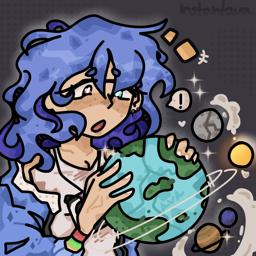
InstantAva’s Photoshoot

An active Minecraft and music server that features it's very own Minecraft SMP and contains content creator, InstantAva!

InstantAva's Photoshoot

Created: February 07, 2023

Members: 3274

Join Discord Server

Welcome to our Discord server, where Minecraft enthusiasts, musicians, and late night event lovers come together to connect, collaborate, and create unforgettable experiences! Here, we have our very own Youtuber and Streamer, InstantAva (also known as Ava Caroline!). We have our very own public SMP called the InstantSMP, as well. Anyone is able to apply and join!

We have a variety of active channels on this discord, including #general, #gaming, and #pets! But the fun doesn’t stop there. Dive into our music channel and groove to the latest beats, discover new tracks, or showcase your own compositions. Whether you’re into rock, pop, hip-hop, musical theatre, or anything in between, you’ll find like-minded individuals to jam with and expand your musical horizons.

And of course, it wouldn’t be a Discord server without plenty of opportunities for laughs and good times. Join in on our lively discussions, participate in late night events, or participate in frequent Discord stages hosted by InstantAva!. With a community as welcoming as ours, you’re sure to make new friends and memories that will last a lifetime.

So what are you waiting for? Come on in, say hello, and let the adventure begin! Don’t forget to smile and take plenty of pictures!

How to join the InstantAva’s Photoshoot Discord server?

If you are wondering how to join the discord server "InstantAva’s Photoshoot" to get the latest updates, announcements, and guides, just follow these simple steps:

  1. Scroll back to the top of this page and click the prominent "Join Discord Server" button.
  2. You will be instantly redirected to the official invite link for the InstantAva’s Photoshoot community.
  3. If the direct link doesn't open automatically on your mobile device, simply copy the invite code from the URL, open your Discord app, click the "+" (Add a Server) icon, choose "Join a Server", and paste the code there.

Safe Browsing Reminder

Please note that Discord.Do is an unofficial educational guide and catalog. We are not affiliated with Discord, Inc. We will never ask for your password, email, or login token. True Discord authentication happens strictly on the official discord.com domain. Always verify your browser's address bar and practice digital hygiene!

Leave a Reply

Your email address will not be published. Required fields are marked *