| Highrock Border Roleplay

| Why Join Us? Community First: We foster a space where everyone is respected. And be who they want to be!

| Highrock Border Roleplay

Created: October 24, 2021

Members: 5935

Join Discord Server

️ | Our Core Values
Respect & Inclusivity: At HBRP, we believe in treating everyone with kindness and respect. We have a zero-tolerance policy for any form of racism or discrimination.
Professionalism: Whether you’re a seasoned roleplayer or new to the scene, we encourage professionalism in all interactions.

| What We Offer
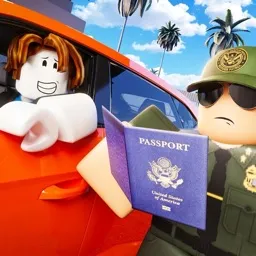
Realistic Roleplay: Immerse yourself in a realistic border roleplay environment, complete with authentic scenarios and dedicated staff.
Active Community: Join an active and growing community where members are always willing to help and engage.
Custom Features: Enjoy custom scripts and features that enhance your roleplay experience. From custom vehicles to specialized jobs, we’ve got it all!

| Special Events
Weekly Events: Participate in weekly events like car shows, challenges, and special RP scenarios. There’s always something happening!
Exclusive Competitions: Compete in exclusive competitions with the chance to win Robux, in-game rewards, and more!

| Stay Connected
Announcements: Stay up-to-date with the latest news, updates, and events by keeping an eye on our #announcements channel.
Support: Need help? Our dedicated support team is here for you. Reach out anytime in the #support channel.

How to join the | Highrock Border Roleplay Discord server?

If you are wondering how to join the discord server "| Highrock Border Roleplay" to get the latest updates, announcements, and guides, just follow these simple steps:

  1. Scroll back to the top of this page and click the prominent "Join Discord Server" button.
  2. You will be instantly redirected to the official invite link for the | Highrock Border Roleplay community.
  3. If the direct link doesn't open automatically on your mobile device, simply copy the invite code from the URL, open your Discord app, click the "+" (Add a Server) icon, choose "Join a Server", and paste the code there.

Safe Browsing Reminder

Please note that Discord.Do is an unofficial educational guide and catalog. We are not affiliated with Discord, Inc. We will never ask for your password, email, or login token. True Discord authentication happens strictly on the official discord.com domain. Always verify your browser's address bar and practice digital hygiene!

Leave a Reply

Your email address will not be published. Required fields are marked *