Sol’s RNG

Sol’s RNG on Roblox is a luck-based game where players roll for rare auras. Join the official Discord server for updates, events, and community discussions.

Created: January 14, 2022

Members: 793835

Join Discord Server

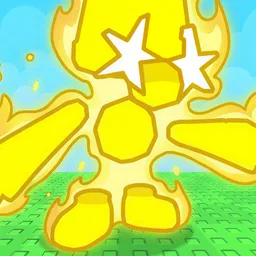
Sol’s RNG is a luck-based Roblox game where players roll for rare and powerful auras, aiming to obtain the rarest effects. The game revolves around pure randomness, with each roll bringing the possibility of unlocking something extraordinary. With a vibrant community, players compare their rolls, celebrate achievements, and strive to obtain the rarest auras available.

The game features a tiered system of rarity, where some auras are incredibly hard to obtain. Players often spend hours rolling, hoping for that one ultra-rare effect that sets them apart. Special events and limited-time auras add even more excitement, keeping the community engaged and eager for new content.

To stay connected with the game’s latest updates and events, Sol’s RNG has an official Discord server. This server allows players to discuss their rolls, trade tips, and get firsthand news from the developers. It’s also a space for reporting bugs, sharing feedback, and participating in community-driven activities.

Whether you’re looking for strategies to maximize your rolls or just want to share your rare finds, the Sol’s RNG Discord server is the best place to connect with fellow players. Join to stay updated on new content, game announcements, and exclusive community events.
How to join the Sol’s RNG Discord server?

If you are wondering how to join the discord server "Sol’s RNG" to get the latest updates, announcements, and guides, just follow these simple steps:

  1. Scroll back to the top of this page and click the prominent "Join Discord Server" button.
  2. You will be instantly redirected to the official invite link for the Sol’s RNG community.
  3. If the direct link doesn't open automatically on your mobile device, simply copy the invite code from the URL, open your Discord app, click the "+" (Add a Server) icon, choose "Join a Server", and paste the code there.

Safe Browsing Reminder

Please note that Discord.Do is an unofficial educational guide and catalog. We are not affiliated with Discord, Inc. We will never ask for your password, email, or login token. True Discord authentication happens strictly on the official discord.com domain. Always verify your browser's address bar and practice digital hygiene!

Leave a Reply

Your email address will not be published. Required fields are marked *