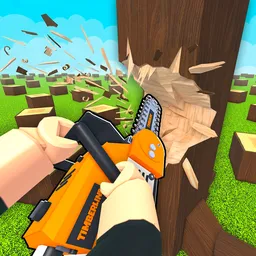
Lumberjack Simulator is an engaging Roblox game developed by xFrozen Takeaway, where players immerse themselves in the life of a lumberjack. The game offers a unique blend of strength training and resource collection, allowing players to cut down trees, acquire new axes, and collect wins and pets to enhance their abilities. With new stages introduced daily, the game continually provides fresh challenges and opportunities for players to explore.
To foster a vibrant community and facilitate communication among players, the developers have established the official Lumberjack Simulator Discord server. This platform serves as a hub where players can discuss strategies, share experiences, and seek assistance for in-game challenges. It’s an excellent place for both newcomers and seasoned players to collaborate and learn from each other.
The Discord server also offers direct communication with the development team, ensuring that members stay informed about the latest game updates, events, and feature releases. This direct line to the developers allows players to provide feedback and suggestions, contributing to the game’s ongoing improvement and evolution.
Joining the Lumberjack Simulator Discord server not only enhances the gaming experience but also connects players with a supportive and enthusiastic community. Whether you’re looking to share your latest in-game achievements, collaborate on strategies, or stay updated on game developments, the server provides a welcoming environment to engage with others who share your passion for virtual lumberjacking.