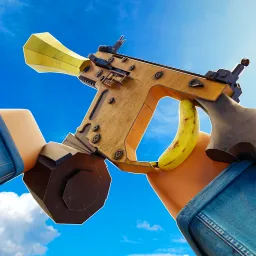
Weird Gun Game is a wild Roblox FPS that turns conventional gunplay upside-down—here, you don’t just buy weapons, you build them. Players pick and combine parts like barrels, stocks, and sights to create unique firearms, from sniper hybrids to explosive chaos machines, then test them in frantic PvP matches. The result is unpredictable, hilarious, and deeply engaging—each build tells a story.
The progression loop is simple yet captivating: earn coins by scoring kills, snag new parts, and refine your builds for better performance. Shotgun enthusiasts and sniper fanatics can optimize spread, recoil, and damage to match their playstyle. Community guides—like recommended shotgun loadouts—help beginners catch up, but the real fun lies in experimentation.
The official Weird Gun Game Discord server is a hub for builders, sharpshooters, and strategists. It delivers early code drops for coins or parts, lets players swap build blueprints, and serves as a venue for scrims or community challenges. Developers post update news and engage with feedback, making it an essential resource for anyone serious about mastering custom weapon design.
If you enjoy tinkering, creative PvP, and a community that thrives on innovation, Weird Gun Game is a standout—and the Discord server is where the builds become legends.