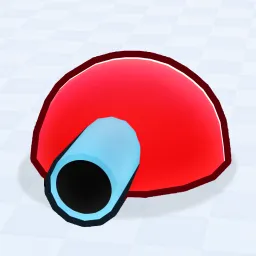
Tank Game! thrusts players onto large battlefields in Roblox where armored vehicles rule. You drive tanks, customize weapons and defenses, coordinate with teammates, and aim to dominate the map through tactics and firepower. The gameplay loop revolves around upgrading your tank, mastering vehicle controls, and adapting to opponents’ strategies in dynamic PvP matches.
The official Discord server becomes the strategic command room behind all that chaos. Players gather to share build configurations — whether it’s choosing light tanks for speed, armored beasts for resilience, or balanced models for versatility. Trade-channels enable swapping parts or recommending load-outs, while discussion threads focus on map tactics: where flanks work, spawn points to avoid, or how to leverage terrain for advantage.
Developers also use the server as a direct line to the community. Update notes about new tank models, weapon systems, or balance adjustments drop there first. The server hosts sneak peeks of future modes and invites player feedback, making the community feel embedded in the game’s evolution rather than merely reacting to it.
Joining the Tank Game! Discord means you’re not just playing — you’re participating. Whether you’re showing off a rare tank skin, discussing winning tactics, or organizing a squad for the next match, the server turns vehicle warfare into a shared campaign instead of a solo grind.