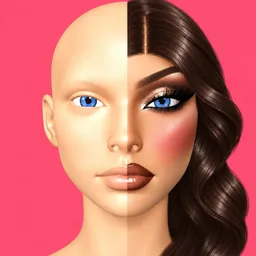
Crafting detailed facial aesthetics, matching color palettes, and experimenting with cosmetic combinations form the core loop of Makeup Frenzy. Players receive custom themes and must quickly apply foundations, eyeshadows, lipsticks, and distinct hair styling elements to create standout character appearances within tight time constraints.
Stepping into the role of a virtual makeup artist involves balancing creative expression against prompt requirements during fast-paced competitive rounds. Participants showcase their styling portfolios on runway stages, where community voting determines top designs based on originality, color harmony, and overall thematic execution.
Earning rewards and unlocking new cosmetic palettes, accessories, and styling options relies on consistent performance and successful voting decisions. Navigating these progression systems encourages experimentation with diverse fashion trends and helps players refine their technique across varying aesthetic challenges.
The Official Makeup Frenzy Discord server provides a structured space for creators to exchange styling tips, display their highest-scoring looks, and coordinate custom fashion events. Members utilize dedicated feedback channels to discuss upcoming update features, share color combination ideas, and collaborate on community-driven runway showcases.