
Tap Simulator: Reborn

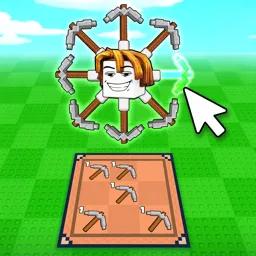
Jump into Tap Simulator: Reborn on Roblox to crush clicks, hatch rare pets, unlock new worlds, and trade your way to the top of the global leaderboards.

Tap Simulator Discord server

Created: March 16, 2022

Members: 204734

Join Discord Server

The relentless pursuit of higher numbers defines the frantic rhythm of Tap Simulator: Reborn. Every single click pumps currency directly into your progression meters, turning simple screen taps into a cascading avalanche of coins and multiplier growth. Players race against one another to optimize their clicking efficiency, unlocking fresh zones, and pushing their stats past astronomical thresholds.

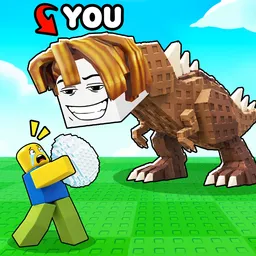
Beneath the surface of endless tapping lies a deep collection loop centered around hatching eggs and assembling squads of hyper-powered pets. Collecting legendary and secret-tier companions multiplies your earning potential exponentially, transforming basic farming routines into high-speed automation. Managing pet storage, crafting golden variants, and equipping top-tier loadouts become essential strategies for breaking past progression walls.

Ascending through rebirth mechanics resets your progress in exchange for permanent multipliers, opening the gates to uncharted islands and tougher boss encounters. As the community expands around weekly content updates, trading rare pets and secrets with other players creates a thriving player-driven economy. Whether you’re aiming for the #1 spot on the global leaderboards or hunting down elusive drops, every second spent tapping brings you closer to ultimate dominance.
How to join the Tap Simulator: Reborn Discord server?

If you are wondering how to join the discord server "Tap Simulator: Reborn" to get the latest updates, announcements, and guides, just follow these simple steps:

  1. Scroll back to the top of this page and click the prominent "Join Discord Server" button.
  2. You will be instantly redirected to the official invite link for the Tap Simulator: Reborn community.
  3. If the direct link doesn't open automatically on your mobile device, simply copy the invite code from the URL, open your Discord app, click the "+" (Add a Server) icon, choose "Join a Server", and paste the code there.

Safe Browsing Reminder

Please note that Discord.Do is an unofficial educational guide and catalog. We are not affiliated with Discord, Inc. We will never ask for your password, email, or login token. True Discord authentication happens strictly on the official discord.com domain. Always verify your browser's address bar and practice digital hygiene!

Leave a Reply

Your email address will not be published. Required fields are marked *