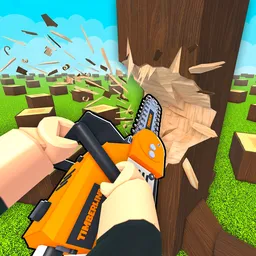
There’s a simple plan in Chop A Forest: cut trees, haul away the logs, sell what you’ve collected, and spend your earnings on better equipment. Then head back into the forest and do it all again, only this time with a stronger tool and bigger ambitions. Developed by WCT Capital, this Roblox simulator builds its progression around that satisfying cycle of chopping, earning, and upgrading. The longer you stick with it, the more important your next purchase becomes.
The official Chop A Forest Discord gives players a place to talk about their progress outside the game. For a simulator built around steadily improving your equipment, there’s plenty to compare: which tools you’ve unlocked, how quickly you’re earning coins, and what you’re working toward next. Players can also follow community discussions about updates rather than relying solely on what they see during a run.
Not every upgrade feels equally worthwhile when you’re saving up for something better. Spending coins on a new tool can speed up your next trip into the forest, but choosing how to build your progress is part of the appeal. Classes add another element to that progression, giving players more to work toward than simply cutting down one tree after another. Sharing experiences with other players can help you see different approaches to the grind.
Chop A Forest also lets you save runs played solo or with friends, so you can choose whether to work through the trees alone or bring someone along. Playing together gives friends a shared goal, while solo sessions leave you free to concentrate on your own upgrades. Either way, there’s always another tool to aim for and another stretch of forest to tackle.
If you’ve started building your lumberjack setup, the Chop A Forest Discord is another place to stay involved with the game. Compare your progress, discuss the tools and classes you’re working toward, and keep an eye on what’s changing. The satisfying part isn’t just watching trees fall; it’s seeing how much further you can get with every upgrade.