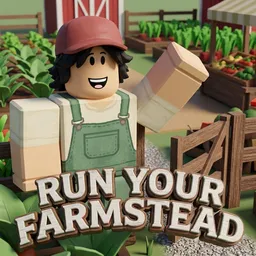
Run Your Own Farmstead!

Build and manage a booming agricultural empire in Run Your Own Farmstead, a relaxing Roblox game. Join the official Discord server to trade seeds and tips.

Run Your Own Farmstead! Discord server

Created: September 28, 2026

Members: 647

Join Discord Server

Sprawdling fields of golden wheat, rows of ripening berries, and the steady clanking of automated irrigation lines set the daily rhythm in Run Your Own Farmstead, an expansive Roblox farming simulator focused on long-term rural growth. Turning a patch of overgrown wilderness into a hyper-efficient agricultural estate requires careful land planning, crop rotation, and smart financial reinvestment. Planting seasonal seeds, feeding livestock, and expanding pasture fences keep operators constantly busy from sunrise to sunset.

The workload shifts dramatically as profits roll in and mechanized tractors, high-yield greenhouses, and specialized processing sheds come online. Instead of performing every manual chore by hand, players transition into estate managers overseeing supply chains, monitoring market demand for crops, and designing picturesque farm layouts that maximize production speed.

Coordinating bulk harvests, trading rare crop seeds, and discussing layout blueprints happens daily within the official Run Your Own Farmstead Discord server, where agrarian entrepreneurs gather to compare earnings, show off homestead designs, and preview upcoming content drops.

How to join the Run Your Own Farmstead! Discord server?

If you are wondering how to join the discord server "Run Your Own Farmstead!" to get the latest updates, announcements, and guides, just follow these simple steps:

  1. Scroll back to the top of this page and click the prominent "Join Discord Server" button.
  2. You will be instantly redirected to the official invite link for the Run Your Own Farmstead! community.
  3. If the direct link doesn't open automatically on your mobile device, simply copy the invite code from the URL, open your Discord app, click the "+" (Add a Server) icon, choose "Join a Server", and paste the code there.

Safe Browsing Reminder

Please note that Discord.Do is an unofficial educational guide and catalog. We are not affiliated with Discord, Inc. We will never ask for your password, email, or login token. True Discord authentication happens strictly on the official discord.com domain. Always verify your browser's address bar and practice digital hygiene!

Leave a Reply

Your email address will not be published. Required fields are marked *