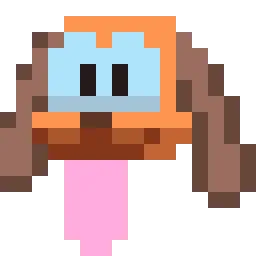
Puppy Truck

Drift a canine-powered vehicle in Puppy Truck. Join the Puppy Truck Discord server to share custom hats, find collectibles, and chat.

Puppy Truck Discord server

Created: July 31, 2024

Members: 227

Join Discord Server

Grandma’s retirement from the tech industry meant trading corporate labs for a house full of rogue, sentient inventions—culminating in her greatest masterpiece yet: a tiny vehicle with an actual puppy’s enthusiasm. In Puppy Truck, an eccentric 3D platformer, you control an adorable miniature truck-pup racing across oversized rooms to reach a birthday party on time. Sliding under couches, boosting over ramps, and climbing household clutter require mastering surprisingly fluid movement tech that lets you drift around table legs just like a real dog.

Getting to the finish line isn’t just about driving straight. Grandma’s house is packed with multi-solution puzzles, hidden collectibles, unlockable hats to customize your ride, and plenty of weird contraptions that react to your presence. Every open level invites you to poke around dusty corners, test out wild physical shortcuts, and uncover whatever absurd jokes the inventors left behind.

Hanging out in the official Puppy Truck Discord server gives players a spot to trade hidden collectible locations, show off custom hat combinations, and talk shop with other fans of high-speed canine vehicular tomfoolery.

How to join the Puppy Truck Discord server?

If you are wondering how to join the discord server "Puppy Truck" to get the latest updates, announcements, and guides, just follow these simple steps:

  1. Scroll back to the top of this page and click the prominent "Join Discord Server" button.
  2. You will be instantly redirected to the official invite link for the Puppy Truck community.
  3. If the direct link doesn't open automatically on your mobile device, simply copy the invite code from the URL, open your Discord app, click the "+" (Add a Server) icon, choose "Join a Server", and paste the code there.

Safe Browsing Reminder

Please note that Discord.Do is an unofficial educational guide and catalog. We are not affiliated with Discord, Inc. We will never ask for your password, email, or login token. True Discord authentication happens strictly on the official discord.com domain. Always verify your browser's address bar and practice digital hygiene!

Leave a Reply

Your email address will not be published. Required fields are marked *