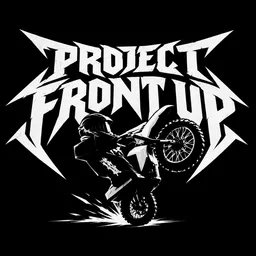
Forget racing lines and finish-line photos. Project Front Up is about keeping the front wheel in the air, squeezing between traffic, and landing a backflip without turning your bike into scrap. Created by N_ytheria, this Roblox bikelife simulator uses full-physics riding, with individual bikes that have their own weight, sound, and handling. Points come from stunts and combos, so a clean sequence of tricks can be more rewarding than simply riding fast.
The official Project Front Up Discord is a place for players to stay connected while the game is still in beta. Riding mechanics, new features, and changes to the experience give the community plenty to discuss. Players can compare their runs, share feedback, and keep up with development rather than discovering every change by chance.
Getting the bike under control is half the challenge. Holding a wheelie takes practice, and turning that stunt into a backflip means timing your jump correctly. Scraping the fairings, dodging traffic, and keeping a combo alive add their own risks. Every mistake can interrupt a promising run, which makes successful stunt chains worth sharing. Other riders may have different approaches to the same challenge, and those differences are part of what makes a riding community useful.
Away from the road, there’s room to make the bike your own. The garage and paint options let players customize their rides, while the different bikes offer more than cosmetic variety. Night riding changes the atmosphere completely: headlights cut through tunnels, and the full day-and-night cycle gives familiar roads a different feel. These details make Project Front Up as much about the riding experience as the points you earn.
The game supports keyboard, controller, and mobile controls, so players can take to the streets on different devices. Its beta status also means there’s more to follow as development continues. The official Discord gives players a place to discuss changes, share impressive rides, and exchange ideas with others who enjoy the same style of gameplay. Whether you’re chasing a bigger combo or simply trying to master a difficult wheelie, there’s always another run to attempt.