Military Army Tycoon

Military Army Tycoon Discord for Roblox players to discuss army builds, soldier squads, base upgrades, and battlefield strategies.

Military Army Tycoon Discord server

Created: September 06, 2026

Members: 2239

Join Discord Server

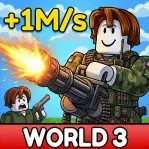
Building a military base is only the beginning in Military Army Tycoon. This Roblox game by Battle Action lets you expand your base, recruit different soldier squads, equip weapons, and build an army suited to your plans. Once your forces are ready, you can take on enemy armies and fight to capture strategic locations.

The Military Army Tycoon Discord is a place for players to discuss their progress and keep up with news about the game. Whether you’re expanding your base or trying to put together a stronger force, comparing experiences with other commanders gives you ideas for what to work on next.

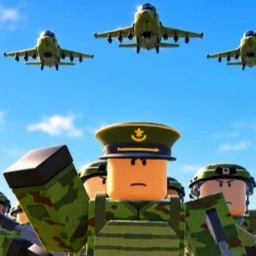
Your army’s composition matters. Unlocking more squads and improving your equipment gives you additional options on the battlefield, while base upgrades help you build toward a larger operation. Capturing locations adds another objective beyond simply expanding your own territory.

Military Army Tycoon suits players who enjoy building up an operation and then putting it to the test. The Discord community offers a place to talk about army setups, share battlefield experiences, and follow the game’s development as you work toward becoming a stronger commander.

How to join the Military Army Tycoon Discord server?

If you are wondering how to join the discord server "Military Army Tycoon" to get the latest updates, announcements, and guides, just follow these simple steps:

  1. Scroll back to the top of this page and click the prominent "Join Discord Server" button.
  2. You will be instantly redirected to the official invite link for the Military Army Tycoon community.
  3. If the direct link doesn't open automatically on your mobile device, simply copy the invite code from the URL, open your Discord app, click the "+" (Add a Server) icon, choose "Join a Server", and paste the code there.

Safe Browsing Reminder

Please note that Discord.Do is an unofficial educational guide and catalog. We are not affiliated with Discord, Inc. We will never ask for your password, email, or login token. True Discord authentication happens strictly on the official discord.com domain. Always verify your browser's address bar and practice digital hygiene!

Leave a Reply

Your email address will not be published. Required fields are marked *