Mini War: Kingdoms

Mini War: Kingdoms Discord for Roblox players to discuss kingdom building, hero upgrades, army tactics, and PvP battles.

Mini War Kingdoms Official Discord server

Created: September 22, 2026

Members: 63

Join Discord Server

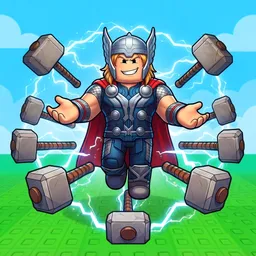
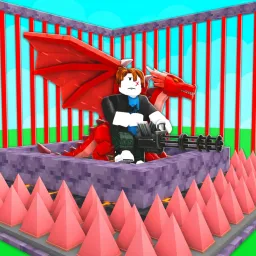
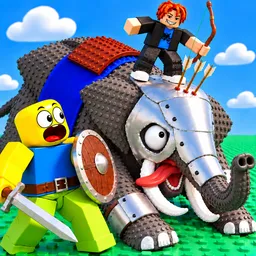
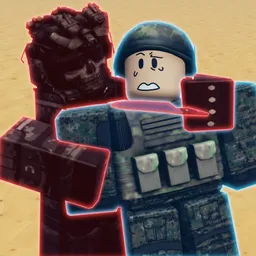
A small village won’t stay small for long if you manage it well. In Mini War: Kingdoms, a Roblox strategy game by Spike War Games, you build farms, mines, workshops, and homes before raising an army to challenge rival kingdoms. Infantry, archers, cavalry, and siege engines each have a role, while stronger heroes bring extra abilities to the fight.

The Mini War: Kingdoms Discord community is a place to discuss the game, follow announcements, and compare progress with other players. Whether you’re focused on developing your economy or preparing to fight for territory, other commanders may have useful ideas to share.

There’s a balancing act between investing in your kingdom and spending resources on its military strength. Research unlocks better buildings and troops, while upgrading heroes gives you more options in battle. Expand too carelessly, and you may find yourself struggling to defend what you’ve built.

PvP battles let you put those decisions to the test. Capturing territory brings rewards, but holding it is part of the challenge. Join the community to talk army composition, share your strategies, and keep up with Mini War: Kingdoms as your village grows into a kingdom.
How to join the Mini War: Kingdoms Discord server?

If you are wondering how to join the discord server "Mini War: Kingdoms" to get the latest updates, announcements, and guides, just follow these simple steps:

  1. Scroll back to the top of this page and click the prominent "Join Discord Server" button.
  2. You will be instantly redirected to the official invite link for the Mini War: Kingdoms community.
  3. If the direct link doesn't open automatically on your mobile device, simply copy the invite code from the URL, open your Discord app, click the "+" (Add a Server) icon, choose "Join a Server", and paste the code there.

Safe Browsing Reminder

Please note that Discord.Do is an unofficial educational guide and catalog. We are not affiliated with Discord, Inc. We will never ask for your password, email, or login token. True Discord authentication happens strictly on the official discord.com domain. Always verify your browser's address bar and practice digital hygiene!

Leave a Reply

Your email address will not be published. Required fields are marked *