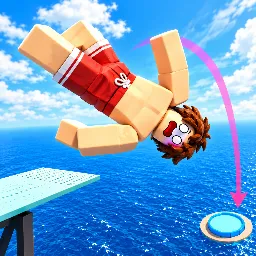
Crazy Diver

Look down from the highest ledges in Crazy Diver. Snag the official Discord link, challenge the community's top high scores, and master your next stunt rotation.

Crazy Diver Discord server

Created: September 28, 2026

Members: 21

Join Discord Server

Defying gravity is easy – it is the landing that messes with your head. In Crazy Diver, every single cliff jump is a high-stakes calculation where you control the exact rotation, timing, and momentum of your character. One misplaced flip or an over-rotated twist, and your flawless run turns into a disastrous, bone-shattering belly flop.

The mechanics demand precision, but executing a legendary dive feels completely empty if nobody is around to see it.

That is where the official Crazy Diver Discord comes into play. This is not just a standard announcement board; it is the ultimate basecamp for everyone obsessed with perfect entries and chaotic ragdoll physics. If you are looking to break down hidden landing frames, sync up with a crew for synchronized diving, or drop video clips of your most absurd airborne glitches, you need a direct line to the community.

Stop solo-queueing your practice runs. Click through to the Crazy Diver Discord server, drop your best gameplay clips in the chat, and see how your skills stack up against the finest stunt coordinators on Roblox.
How to join the Crazy Diver Discord server?

If you are wondering how to join the discord server "Crazy Diver" to get the latest updates, announcements, and guides, just follow these simple steps:

  1. Scroll back to the top of this page and click the prominent "Join Discord Server" button.
  2. You will be instantly redirected to the official invite link for the Crazy Diver community.
  3. If the direct link doesn't open automatically on your mobile device, simply copy the invite code from the URL, open your Discord app, click the "+" (Add a Server) icon, choose "Join a Server", and paste the code there.

Safe Browsing Reminder

Please note that Discord.Do is an unofficial educational guide and catalog. We are not affiliated with Discord, Inc. We will never ask for your password, email, or login token. True Discord authentication happens strictly on the official discord.com domain. Always verify your browser's address bar and practice digital hygiene!

Leave a Reply

Your email address will not be published. Required fields are marked *