Build a PC

Build a PC official Discord for rare components, custom computer builds, pet bonuses, progression tips, and community discussions.

Build a PC Discord server

Created: October 16, 2026

Members: 52

Join Discord Server

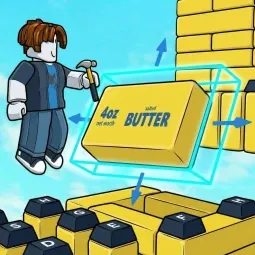
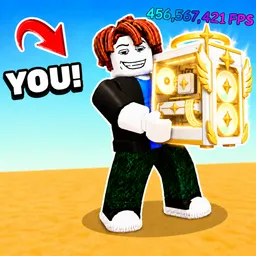
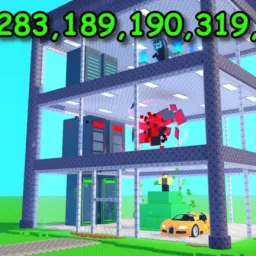
A better PC starts with a lucky roll. In Build a PC, you collect random computer parts and assemble them into custom machines, gradually working toward stronger builds. But there’s a second way to improve your setup: steal eggs, hatch pets, and use their boosts to push your progress further.

The two systems feed into each other. New parts give you more possibilities when assembling a computer, while pets add bonuses that help you build something stronger. Getting the best results means keeping both sides moving instead of focusing entirely on collecting components.

The official Build a PC Discord brings the game’s community together to talk about builds, compare progress, and follow what’s happening with the experience. With random part rolls shaping what you can put together, players have different collections and different routes to improvement. That gives them plenty to compare beyond simply showing off their latest computer.

There’s a competitive streak to the whole process: keep upgrading, chase stronger builds, and see how far your collection can take you. The added egg-stealing mechanic makes the usual PC-building loop a little less predictable, too. You’re not just assembling hardware — you’re trying to get ahead of everyone else.

How to join the Build a PC Discord server?

If you are wondering how to join the discord server "Build a PC" to get the latest updates, announcements, and guides, just follow these simple steps:

  1. Scroll back to the top of this page and click the prominent "Join Discord Server" button.
  2. You will be instantly redirected to the official invite link for the Build a PC community.
  3. If the direct link doesn't open automatically on your mobile device, simply copy the invite code from the URL, open your Discord app, click the "+" (Add a Server) icon, choose "Join a Server", and paste the code there.

Safe Browsing Reminder

Please note that Discord.Do is an unofficial educational guide and catalog. We are not affiliated with Discord, Inc. We will never ask for your password, email, or login token. True Discord authentication happens strictly on the official discord.com domain. Always verify your browser's address bar and practice digital hygiene!

Leave a Reply

Your email address will not be published. Required fields are marked *