Clean the Moon

Join the official Clean the Moon Roblox community by Lunarlit Works for game announcements, exclusive group rewards, and discussions with other players.

Clean the Moon Discord server

Created: October 24, 2026

Members: 254

Join Discord Server

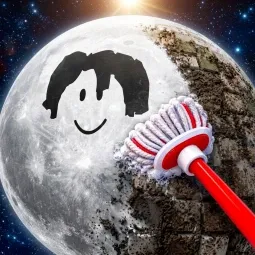
The Moon needs a cleanup crew, and apparently nobody else has volunteered. In Clean the Moon!, players take on the job themselves, sweeping lunar dust, discarded space junk, and meteor debris from the surface. Everything collected can be sold for cash, turning a rather unusual cleaning shift into an incremental progression adventure.

A broom is only the beginning. Better equipment means collecting more debris, carrying larger loads, and reaching new areas. As the operation grows, cleaning robots can take over some of the work, while an expanding lunar base helps automate the process. New craters and zones open up as players make progress.

Clean the Moon doesn’t have to be a solo project. Friends can join the same crew and speed up the cleanup together. There’s something satisfying about watching a neglected stretch of lunar terrain gradually become a working operation, especially once you’ve invested in better gear and automation.

How to join the Clean the Moon Discord server?

If you are wondering how to join the discord server "Clean the Moon" to get the latest updates, announcements, and guides, just follow these simple steps:

  1. Scroll back to the top of this page and click the prominent "Join Discord Server" button.
  2. You will be instantly redirected to the official invite link for the Clean the Moon community.
  3. If the direct link doesn't open automatically on your mobile device, simply copy the invite code from the URL, open your Discord app, click the "+" (Add a Server) icon, choose "Join a Server", and paste the code there.

Safe Browsing Reminder

Please note that Discord.Do is an unofficial educational guide and catalog. We are not affiliated with Discord, Inc. We will never ask for your password, email, or login token. True Discord authentication happens strictly on the official discord.com domain. Always verify your browser's address bar and practice digital hygiene!

Leave a Reply

Your email address will not be published. Required fields are marked *