PIGSHOT

Join the official PIGSHOT Discord server to find opponents, share shooting strategies, discuss new weapons and maps, and connect with other players.

PIGSHOT Discord server

Created: October 15, 2026

Members: 82

Join Discord Server

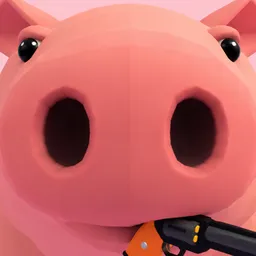
Landing a shot is tricky enough without swinging through the air on a grappling hook. PIGSHOT takes the familiar arena shooter formula and gives it a rather ridiculous twist: everyone is a pig, and the fights are anything but ordinary. Players battle in fast round-based duels, using firearms alongside acrobatic movement to get the upper hand.

The grappling hook changes how you approach every encounter. Double jumps, flips, slides, and swinging across the environment let you dodge incoming fire or catch an opponent from an unexpected angle. Maps range from castles and desert ruins to shipping docks, so there’s more to think about than simply having a good aim. Choosing the right moment to move can be just as important as pulling the trigger.

Between matches, the official PIGSHOT Discord server is a place to compare combat tricks, share clips, talk about favourite weapons, and find other players for a rematch. Map preferences, cosmetic combinations, and particularly ridiculous duels give the community plenty of things to argue about. It’s also a convenient way to keep up with new additions as the game develops.


How to join the PIGSHOT Discord server?

If you are wondering how to join the discord server "PIGSHOT" to get the latest updates, announcements, and guides, just follow these simple steps:

  1. Scroll back to the top of this page and click the prominent "Join Discord Server" button.
  2. You will be instantly redirected to the official invite link for the PIGSHOT community.
  3. If the direct link doesn't open automatically on your mobile device, simply copy the invite code from the URL, open your Discord app, click the "+" (Add a Server) icon, choose "Join a Server", and paste the code there.

Safe Browsing Reminder

Please note that Discord.Do is an unofficial educational guide and catalog. We are not affiliated with Discord, Inc. We will never ask for your password, email, or login token. True Discord authentication happens strictly on the official discord.com domain. Always verify your browser's address bar and practice digital hygiene!

Leave a Reply

Your email address will not be published. Required fields are marked *