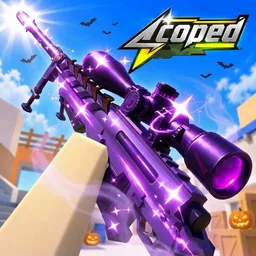
Scoped FPS

Sharpen your aim with the Scoped community! The official Discord is a place to exchange FPS tactics, discuss weapon skins, and follow game updates.

Scoped Discord server

Created: July 25, 2023

Members: 1485

Join Discord Server

In Scoped FPS, a split-second mistake can cost you the match. This fast-paced Roblox shooter puts sniping and movement at the centre of its combat, rewarding players who can line up clean shots while staying difficult to hit themselves. Rather than relying on endless weapon fire, encounters revolve around precision, positioning, and knowing when to move.

There is plenty to work toward between matches. Players can unlock new weapons and skins, complete quests, open weapon cases, and put together custom loadouts. Ranked matches offer a competitive environment for testing your abilities, while Casual mode gives you room to practise and experiment without the pressure of climbing the rankings.

The official Scoped Discord server brings together players who take their aim seriously. It’s a place to discuss shooting techniques, share loadout ideas, show off weapon skins, compare ranked experiences, and find other players to compete against. You can also follow announcements and keep track of changes as kimi02 continues developing the Roblox game.

Whether you’re working on your accuracy, trying different equipment, or looking to prove yourself in ranked matches, there’s always something to discuss with other Scoped players.


How to join the Scoped FPS Discord server?

If you are wondering how to join the discord server "Scoped FPS" to get the latest updates, announcements, and guides, just follow these simple steps:

  1. Scroll back to the top of this page and click the prominent "Join Discord Server" button.
  2. You will be instantly redirected to the official invite link for the Scoped FPS community.
  3. If the direct link doesn't open automatically on your mobile device, simply copy the invite code from the URL, open your Discord app, click the "+" (Add a Server) icon, choose "Join a Server", and paste the code there.

Safe Browsing Reminder

Please note that Discord.Do is an unofficial educational guide and catalog. We are not affiliated with Discord, Inc. We will never ask for your password, email, or login token. True Discord authentication happens strictly on the official discord.com domain. Always verify your browser's address bar and practice digital hygiene!

Leave a Reply

Your email address will not be published. Required fields are marked *