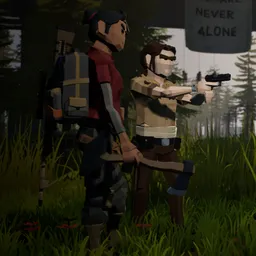
The helicopter is down, the island is overrun, and there’s no rescue team coming to pick you up. ZED ZONE is a top-down zombie survival game on Steam that drops players into a quarantined territory with little more than the need to stay alive. Abandoned buildings offer supplies, but every trip outside your shelter carries risks. Zombies are only part of the problem: mutated creatures and hostile mechanical enemies make venturing into unfamiliar areas even more dangerous.
Survival here involves considerably more than finding food and ammunition. You can construct buildings using different materials, establish electrical systems, manufacture weapons, set traps, and develop a fortified base. Farming provides another way to secure food rather than depending entirely on scavenging. There’s also a skill system covering different combat styles, from firearms and blades to other specialised abilities. You can even recruit NPC companions, assign them jobs, and send them out to collect supplies or fight alongside you.
The world has plenty of reasons to leave the safety of your walls. Repairing a boat opens access to another island, where further discoveries help uncover the origins of the outbreak. For those who prefer a harder challenge, Cataclysm and Horde modes offer different approaches to defending against increasingly dangerous enemies. Cooperative play also lets friends bring their characters and equipment into shared survival expeditions.
The official ZED ZONE Discord server is especially valuable for players who want direct contact with the developer. Leven Liu actively invites bug reports, suggestions, and gameplay feedback through Discord. Players can discuss base designs, share survival tactics, exchange ideas about equipment and companions, and follow development announcements. With the full release introducing cooperative adventures and additional survival challenges, there’s plenty for the community to discover together.