Second Piece

Join the official Second Piece Discord for updates, strategies, and community events in this One Piece-inspired Roblox adventure!

Created: February 11, 2024

Members: 68688

Join Discord Server

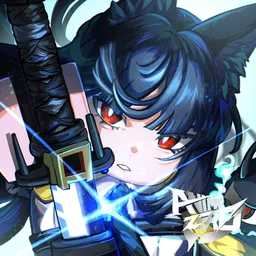
Second Piece is a Roblox game inspired by the popular anime and manga series One Piece. In this open-world adventure, players traverse various islands, engage in battles, complete quests, and search for powerful Demon Fruits that grant unique abilities. The game’s objective is to strengthen your character through combat, acquiring new equipment, and allocating skill points to create the optimal build.

The official Second Piece Discord server is a vibrant community hub where players can interact, share experiences, and stay informed about the latest game developments. Benefits of joining the Discord include:​

  • Direct Interaction: Engage with fellow players, seek advice, and discuss strategies.​
  • Real-Time Updates: Receive immediate notifications about game updates, events, and announcements.​
  • Patch Notes: Access detailed information on recent changes and upcoming features.​
  • Community Engagement: Participate in discussions, find teammates, and contribute to a supportive environment.​

Joining the official Discord server enhances the gaming experience by providing a platform for collaboration and continuous learning. Whether you’re a newcomer or a seasoned player, the community offers valuable insights and support to help you progress in the game.
How to join the Second Piece Discord server?

If you are wondering how to join the discord server "Second Piece" to get the latest updates, announcements, and guides, just follow these simple steps:

  1. Scroll back to the top of this page and click the prominent "Join Discord Server" button.
  2. You will be instantly redirected to the official invite link for the Second Piece community.
  3. If the direct link doesn't open automatically on your mobile device, simply copy the invite code from the URL, open your Discord app, click the "+" (Add a Server) icon, choose "Join a Server", and paste the code there.

Safe Browsing Reminder

Please note that Discord.Do is an unofficial educational guide and catalog. We are not affiliated with Discord, Inc. We will never ask for your password, email, or login token. True Discord authentication happens strictly on the official discord.com domain. Always verify your browser's address bar and practice digital hygiene!

Leave a Reply

Your email address will not be published. Required fields are marked *