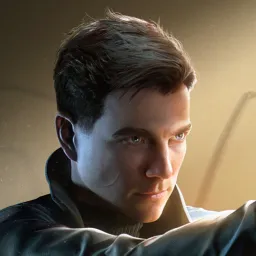
Not every version of James Bond starts with a licence to kill. In 007 First Light, a young and reckless Bond enters MI6’s revived Double 0 programme, where one disastrous mission draws him into a conspiracy. Developed by IO Interactive, the studio behind Hitman, this original spy adventure mixes stealth, hand-to-hand combat, gunfights, gadgets, and cinematic action into a new take on Bond’s origins.
The official 007 First Light Discord is the place to follow news directly from IO Interactive and discuss the game with other players. Fans can share impressions of the campaign, compare approaches to missions, and keep up with announcements as the developers expand the experience.
Bond doesn’t have to solve every problem with a gun. Bluffing past suspicious guards, creating distractions, sneaking through restricted areas, or going in loud are all part of the mission toolkit. The choice of approach gives players plenty to compare, especially when a difficult encounter can be handled in several different ways.
The adventure continues beyond the main story. The Extended Operations update added New Game+, Photo Mode, a new 00 difficulty, and further TacSim content, giving players more reasons to return. The official Discord brings these conversations together, whether you’re discussing gadgets, hunting for a better way through a mission, or waiting to hear what IO Interactive has planned next.