+1 Speed Monkey Escape

The +1 Speed Monkey Escape Discord server is where Roblox players compare routes, share speed milestones, discuss updates, and help each other progress.

+1 Speed Monkey Escape Discord server

Created: May 09, 2026

Members: 9115

Join Discord Server

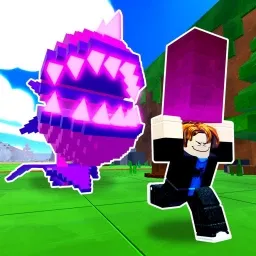
In the Roblox game +1 Speed Monkey Escape, every step makes your character faster, turning simple movement into steady progression. As players unlock upgrades, earn wins, and rebirth to push their limits even further, they start looking for the quickest routes and the most efficient ways to build speed.

Those discoveries rarely stay private. A player shares the time it took to finish a difficult section, someone else suggests a faster path, and soon several members are trying to beat the same run. Questions about rebirth timing, upgrade choices, and movement techniques appear regularly, with experienced players offering advice based on their own results rather than simple guesses.

When the developers release new content, the pace of conversation changes just as quickly. Members test fresh obstacles, compare how updates affect progression, and report anything unusual they notice during their first runs. Promotional codes, when available, are usually shared alongside update news so everyone can jump back into the game with the latest rewards.

The server has the same energy as the game itself—always moving. One player celebrates reaching a new speed milestone, another is already trying to shave a few more seconds off an escape, and the next discussion begins before the previous challenge has even been forgotten.

How to join the +1 Speed Monkey Escape Discord server?

If you are wondering how to join the discord server "+1 Speed Monkey Escape" to get the latest updates, announcements, and guides, just follow these simple steps:

  1. Scroll back to the top of this page and click the prominent "Join Discord Server" button.
  2. You will be instantly redirected to the official invite link for the +1 Speed Monkey Escape community.
  3. If the direct link doesn't open automatically on your mobile device, simply copy the invite code from the URL, open your Discord app, click the "+" (Add a Server) icon, choose "Join a Server", and paste the code there.

Safe Browsing Reminder

Please note that Discord.Do is an unofficial educational guide and catalog. We are not affiliated with Discord, Inc. We will never ask for your password, email, or login token. True Discord authentication happens strictly on the official discord.com domain. Always verify your browser's address bar and practice digital hygiene!

Leave a Reply

Your email address will not be published. Required fields are marked *