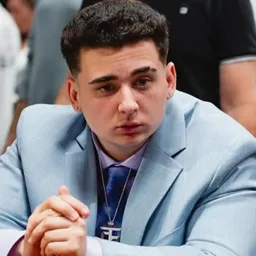
A JasonTheWeen stream can go from a casual conversation to an unpredictable IRL adventure before you know it. Jason Nguyen, better known online as Jasontheween, has built his audience around personality-driven livestreams, gaming, collaborations, and moments that quickly make their way across social media. His content isn’t tied to one game or format, which gives viewers plenty of reasons to keep tuning in.
NMS HUB is his official Discord community, bringing together people who follow his Twitch and TikTok content. It’s where viewers can meet other fans, discuss recent streams, share memorable moments, and take part in community events and giveaways. The conversation continues even when Jason isn’t live.
Collaborations are a big part of Jason’s content, particularly his streams with other creators and the CORE crew. Whether it’s gaming, an IRL outing, or an unexpected interaction that becomes a running joke, these appearances give fans plenty to talk about afterward. The Discord offers a shared space for viewers who follow both Jason’s solo content and his collaborations.
For regular viewers, NMS HUB is more than a place to catch up on clips. It’s a way to stay connected with the audience around JasonTheWeen, find people who enjoy the same streams, and keep track of community activities. Whatever happens on his next broadcast, there’s usually something for viewers to discuss afterward.