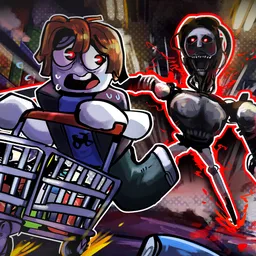
Discover a fresh Half-Life 2 Roleplay server, featuring an overhauled combat system, gameplay and UI.
Willard Networks is a Garry’s Mod gaming network that runs primarily Half Life 2 oriented roleplaying servers utilising RPG elements to expand the gameplay loop. There are various servers to experience with different perspectives, the main server is a 24/7 experience with a narrative that runs on the background by the Creative Team, while the short stories server focuses on shorter events that can run for several days telling a specific story each time that you’ll be part of that, which you can influence with your own actions.
Through the Discord and the community’s forum, you can discover various different factions you can play in and discover like-minded people who are interested in the Half Life lore, which is expanded upon in Willard Networks with our own lore that the players can contribute to.
Willard has both a Russian (WN7) and a Spanish (WNO) community that can play o too, if would like to play with people who share the same mutual language, this is something that Willard wishes to expand upon giving everybody the chance to experience Half Life 2 roleplay.
How to join the Willard Networks | Serious HL2RP Discord server?
If you are wondering how to join the discord server "Willard Networks | Serious HL2RP" to get the latest updates, announcements, and guides, just follow these simple steps:
- Scroll back to the top of this page and click the prominent "Join Discord Server" button.
- You will be instantly redirected to the official invite link for the Willard Networks | Serious HL2RP community.
- If the direct link doesn't open automatically on your mobile device, simply copy the invite code from the URL, open your Discord app, click the "+" (Add a Server) icon, choose "Join a Server", and paste the code there.
Safe Browsing Reminder
Please note that Discord.Do is an unofficial educational guide and catalog. We are not affiliated with Discord, Inc. We will never ask for your password, email, or login token. True Discord authentication happens strictly on the official discord.com domain. Always verify your browser's address bar and practice digital hygiene!