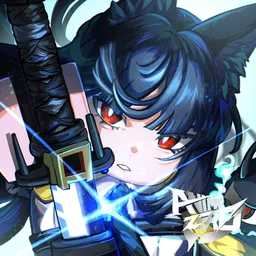
Wuthering Waves Unofficial

Wuthering Waves Discord community for rookie players and expert ones alike. Come join us, ask questions and enjoy!

Wuthering Waves Unofficial

Created: April 07, 2021

Members: 11819

Join Discord Server

**What Wuthering Waves Unofficial Is**

A Wuthering Waves server that has been providing a friendly and inclusive space for hundreds of thousands of WW players since the game’s launch. Take a second to read what our server provides and consider joining!

**Snippet of what Wuthering Waves Unofficial Provides To You**

**• Active Region-Specific Co-Op Channels** ⭐
This channel is filled with high level players that you can ping for a carry-on difficult quests.

**• Active Sections for Team, Character Build, or General Advice** ⭐
We have wise Wuthering Waves players in there to make sure you get the best advice possible.

We provide so much more but are limited to the character limit.
**Join to see more incredibly useful perks of being here**

**Superb Moderation**

We’re here, we care about you, and we’re going to keep this community safe.

Before we bring out the ban hammer, we take in the human side of community moderation. The moderator team talk to users, de-escalate arguments, and give second chances to those who deserve it before escalating things.

We aim to maintain the chill and fun atmosphere in our community this way and it has worked effectively thus far.
How to join the Wuthering Waves Unofficial Discord server?

If you are wondering how to join the discord server "Wuthering Waves Unofficial" to get the latest updates, announcements, and guides, just follow these simple steps:

  1. Scroll back to the top of this page and click the prominent "Join Discord Server" button.
  2. You will be instantly redirected to the official invite link for the Wuthering Waves Unofficial community.
  3. If the direct link doesn't open automatically on your mobile device, simply copy the invite code from the URL, open your Discord app, click the "+" (Add a Server) icon, choose "Join a Server", and paste the code there.

Safe Browsing Reminder

Please note that Discord.Do is an unofficial educational guide and catalog. We are not affiliated with Discord, Inc. We will never ask for your password, email, or login token. True Discord authentication happens strictly on the official discord.com domain. Always verify your browser's address bar and practice digital hygiene!

Leave a Reply

Your email address will not be published. Required fields are marked *