—
️ ** ElementalMC** ️
**The Ultimate 4 Elements Minecraft Experience**
**IP Address**: play.elementalmc.live
️ **Port**: 25614
**Version**: 1.20+
▬▬▬▬▬▬▬▬▬▬▬▬▬▬▬▬▬▬▬▬▬▬▬▬▬
**Choose Your Element, Conquer Your World!**
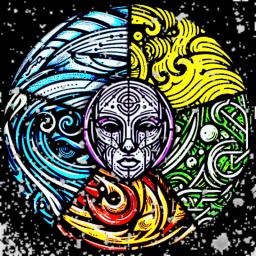
**Earth** | ️ **Air** | **Fire** | **Water**
**Find your power and master the elements in this immersive Minecraft experience, built around 3 thrilling game modes.**
▬▬▬▬▬▬▬▬▬▬▬▬▬▬▬▬▬▬▬▬▬▬▬▬▬
**GAME MODES**
** Survival (No Griefing)**
> Dive into the peaceful lands of survival! Play with friends or go solo while enjoying:
✅ No griefing
✅ Protected land
✅ Chill exploration & building
✅ Friendly community
** ️ Towny (Towns & Nations)**
> Build your empire and form alliances! Team up with others to:
️ Create thriving towns
️ Join or lead nations
Player-driven economy
⚖️ Trade, negotiate, and rise to power!
**⚔️ Factions (Griefing Allowed)**
> Only the strongest survive in this competitive mode. Embrace the chaos:
⚔️ Form powerful factions
Raid and pillage
Wage war against rivals
Become the server’s most feared faction!
▬▬▬▬▬▬▬▬▬▬▬▬▬▬▬▬▬▬▬▬▬▬▬▬▬
⚡ **Special Features** ⚡
Custom Quests & Challenges
Daily Rewards & Events
Unique Rank Progression
️ Active Staff & No Lag!
▬▬▬▬▬▬▬▬▬▬▬▬▬▬▬▬▬▬▬▬▬▬▬▬▬
✨ **JOIN US TODAY!** ✨
**Start your journey, master your element, and shape the world!**
—