
Create Pottery

Create Pottery! Discord for Roblox players to share ceramic designs, discuss rare clay, grow their studios, and follow game updates.

Create Pottery! Discord server

Created: September 26, 2026

Members: September 26, 2026

Join Discord Server

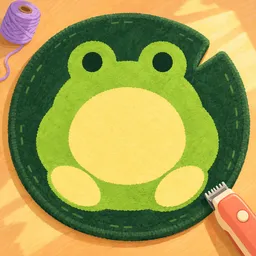
A lump of clay doesn’t look like much until you get it onto the wheel. In Create Pottery!, developed by Team Lychee!, players shape ceramic pieces, apply glaze, fire their creations in a kiln, and sell the finished pottery in their own shop. The money and gems you earn help turn a small studio into a much bigger business.

The Create Pottery! Discord community brings together players working through that process. It’s a place to share progress, discuss new features, and compare experiences as the game develops. Finding rare clay and deciding how to grow your studio give players plenty of practical topics to exchange ideas about.

There is a business to run behind all those pots and vases. Customers buy finished pieces, phone jobs offer another way to earn gems, and hired employees help you build up your operation. Balancing the creative side with upgrades and earnings is what keeps the simulator moving beyond simply making another pot.

Some players will focus on finding rare materials; others will want to expand their shop as quickly as possible. The community offers somewhere to talk about both approaches and keep track of changes to Create Pottery! as Team Lychee! updates the game.

How to join the Create Pottery Discord server?

If you are wondering how to join the discord server "Create Pottery" to get the latest updates, announcements, and guides, just follow these simple steps:

  1. Scroll back to the top of this page and click the prominent "Join Discord Server" button.
  2. You will be instantly redirected to the official invite link for the Create Pottery community.
  3. If the direct link doesn't open automatically on your mobile device, simply copy the invite code from the URL, open your Discord app, click the "+" (Add a Server) icon, choose "Join a Server", and paste the code there.

Safe Browsing Reminder

Please note that Discord.Do is an unofficial educational guide and catalog. We are not affiliated with Discord, Inc. We will never ask for your password, email, or login token. True Discord authentication happens strictly on the official discord.com domain. Always verify your browser's address bar and practice digital hygiene!

Leave a Reply

Your email address will not be published. Required fields are marked *