Make Rugs!

Make Rugs! official Discord for Roblox players to share rug designs, discuss rare yarn, shop upgrades, and game updates.

Make Rugs! Discord server

Created: October 09, 2026

Members: 70

Join Discord Server

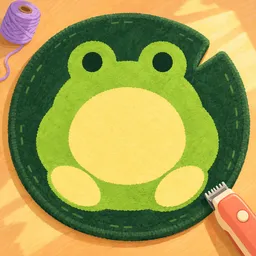
Making a rug is only the first step in Make Rugs!, a Roblox game by Playmade. You roll for yarn, discover different colors, choose a design, and use a tufting tool to bring it to life. Once the rug is finished, you shave it smooth and sell it to customers. The money goes back into your workshop, helping you grow from a small rug maker into a bigger business.

The official Make Rugs! Discord is where players can follow game announcements and talk about their progress. Rare yarn discoveries, new designs, and workshop improvements give everyone something to compare. Since the game is new, it’s also worth keeping up with changes as the developers add and adjust features.

Running the workshop involves more than making rugs by hand. You can complete customer orders from your phone and hire employees to help the studio grow. Finding rare yarn and creating different designs adds a collecting element, while earning money gives you a reason to keep improving your operation.

Whether you’re hunting for unusual yarn colors or building a rug-making business, the Discord community offers a place to share creations, swap ideas, and follow updates. There’s always another design to try or another improvement to save up for.


How to join the Make Rugs! Discord server?

If you are wondering how to join the discord server "Make Rugs!" to get the latest updates, announcements, and guides, just follow these simple steps:

  1. Scroll back to the top of this page and click the prominent "Join Discord Server" button.
  2. You will be instantly redirected to the official invite link for the Make Rugs! community.
  3. If the direct link doesn't open automatically on your mobile device, simply copy the invite code from the URL, open your Discord app, click the "+" (Add a Server) icon, choose "Join a Server", and paste the code there.

Safe Browsing Reminder

Please note that Discord.Do is an unofficial educational guide and catalog. We are not affiliated with Discord, Inc. We will never ask for your password, email, or login token. True Discord authentication happens strictly on the official discord.com domain. Always verify your browser's address bar and practice digital hygiene!

Leave a Reply

Your email address will not be published. Required fields are marked *