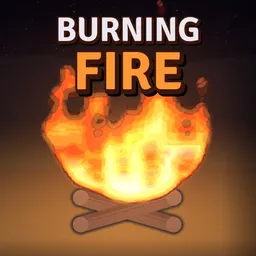
In Feed the Fire, a bigger flame means more money, but it also means more pressure to keep growing. This Roblox incremental simulator by BIGGER FIRE gives you a simple problem with an increasingly difficult solution: feed your fire enough fuel to survive the next storm. Logs and batteries get things started, while explosives, fireworks, and lightning chains help push the flames further. Once the timer runs out, the rain arrives, and an undersized fire can spell trouble.
The upgrade tree is where a small campfire starts turning into something ridiculous. You spend your earnings to unlock new fuel types and build spawners that keep feeding the flames automatically. There are 50 fire levels to reach, and tougher weather conditions keep raising the stakes, from light drizzle all the way to the brutal Tempest.
The official Feed the Fire Discord gives players a place to compare progress, discuss upgrades, and keep up with new content. Choosing what to unlock next becomes a more interesting question as the costs rise and storms grow stronger. Players can share their approaches to building a bigger fire and follow announcements as the game expands into new worlds.
There is also a leaderboard for anyone who wants to see how their fire stacks up against everyone else’s. Reaching the top means more than throwing every available item into the flames; the upgrade path and the timing of your investments matter too. With new fuel types and worlds adding more to the game, there’s always another reason to see how much bigger your fire can get.