Stack A Butter Squishy

Looking for active traders? Join the official Stack A Butter Squishy Discord to share rare stacking strategies and chat with top players today!

Stack A Butter Squishy Discord server

Created: October 07, 2026

Members: 158

Join Discord Server

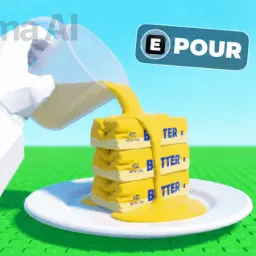
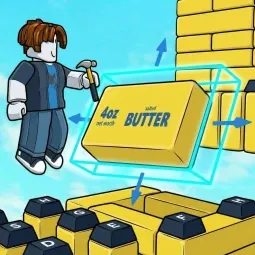
Stacking items sounds simple enough until you are desperately trying to keep a towering mountain of soft butter from collapsing in on itself. In this Roblox experience, physics is your absolute worst enemy, and a single clumsy twitch sends your entire precious collection tumbling across the floor.

Grinding out currency and unlocking weird new squishy variants entirely on your own gets tedious very fast. You end up burning hours trying to figure out which upgrades are actually worth your hard-earned cash or watching your record-breaking tower wipe out right before a major milestone.

That is precisely why dropping into the official community changes the whole vibe. Instead of guessing the optimal build paths or losing your patience over awkward drop rates by yourself, you can tap straight into a network of players who have already figured out the meta.

The server gives you direct access to active trading channels for rare items, helpful tips on balancing tall stacks, and immediate updates straight from the developers. Drop in, compare your highest towers with other players, and turn your chaotic collapses into unbreakable winning streaks.
How to join the Stack A Butter Squishy Discord server?

If you are wondering how to join the discord server "Stack A Butter Squishy" to get the latest updates, announcements, and guides, just follow these simple steps:

  1. Scroll back to the top of this page and click the prominent "Join Discord Server" button.
  2. You will be instantly redirected to the official invite link for the Stack A Butter Squishy community.
  3. If the direct link doesn't open automatically on your mobile device, simply copy the invite code from the URL, open your Discord app, click the "+" (Add a Server) icon, choose "Join a Server", and paste the code there.

Safe Browsing Reminder

Please note that Discord.Do is an unofficial educational guide and catalog. We are not affiliated with Discord, Inc. We will never ask for your password, email, or login token. True Discord authentication happens strictly on the official discord.com domain. Always verify your browser's address bar and practice digital hygiene!

Leave a Reply

Your email address will not be published. Required fields are marked *