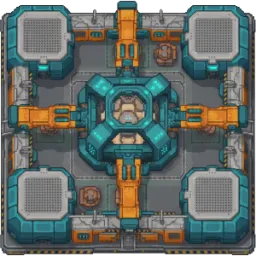
Your factory is getting more efficient, your farms are producing more resources, and then the creature carrying your entire ecosystem starts to sink. That’s the unusual problem at the heart of Exhibitors, a free-to-play sci-fi building game set among enormous living creatures drifting through the clouds of a gas giant. Each one hosts its own ecosystem, with unfamiliar plants and animals waiting to be studied.
The Exhibitors Discord brings together players interested in the game’s mix of exploration, biology, and industrial planning. You can discuss discoveries, compare production setups, and share experiences from different ecosystems. The game also supports online co-op, so there’s room to talk about building and exploring alongside other players.
Much of the challenge comes from turning what you discover into something useful. Observing organisms reveals more about their behaviour and potential uses, while research unlocks recipes and expands what your factories can produce. The catch is that every ecosystem has limited resources, and pushing production too far can throw its delicate balance off course.
Later, the scale grows from small outposts to sprawling megafactories and environmental control systems. Temperature, humidity, and atmospheric composition become tools you can manipulate, opening up new possibilities for shaping these living worlds. The Exhibitors community is a place to trade ideas about these systems, share discoveries, and discuss how to build an industrial operation without bringing the ecosystem beneath it crashing down.