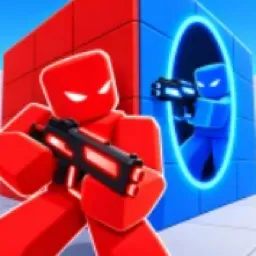
A wall can protect you in a shooter. In PORTALS, it can also become a way for your opponent to get behind you. This Roblox deathmatch game revolves around summoning portals to outsmart enemies and change how fights play out. Instead of relying on aim alone, players have to think about positioning, escape routes, and where an unexpected opening might give them the advantage.
The official PORTALS Discord is a place to follow game announcements and talk with other players. Matches give plenty of material for discussion, from clever uses of portals to fights that turn around in seconds. It’s also where players can keep track of changes as the game develops.
Portal placement changes the usual rules of a firefight. A strong position might not stay safe for long, and chasing an opponent through an opening can leave you exposed to someone waiting on the other side. Learning to use portals offensively and defensively gives fights another layer beyond simply landing shots first.
PORTALS rewards players who can think a step ahead. Whether you’re working on your combat tactics, sharing memorable matches, or keeping up with new additions, the official Discord connects you with others playing the same game. The next opening you create could be the difference between winning a fight and walking straight into a trap.