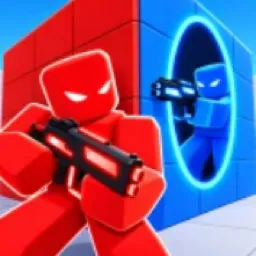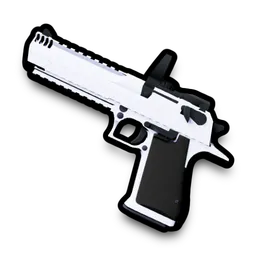
In Portal Arena, controlling the fight means controlling where it happens. This Roblox arena shooter puts portals at the center of its PvP combat, letting players reposition, escape incoming pressure, or catch opponents off guard. A duel can change direction in seconds: a smart portal play can create an opening that raw aim alone might never deliver. Weapons, unlockable skins, challenges, and win streaks give players reasons to keep returning to the arena.
The game’s Discord server is called Portal Studios, the same name used by the development group behind Portal Arena. It is the community hub associated with the game, making it a relevant place for players who want to follow its development and stay connected with others playing it.
For competitive players, the portal mechanic is the obvious subject for discussion. When is it better to reposition instead of pursuing an opponent? How can a portal turn a defensive move into an attack? Players can exchange ideas about their matches, discuss weapons and cosmetics, and compare progress toward leaderboard positions and win streaks. These conversations become more useful as players develop their own approaches to combat.
Portal Arena is also receiving updates, with the game directing players to its in-game patch notes for details on new content and changes. Portal Studios gives fans a shared point of reference as the experience develops, whether they are keeping up with additions, discussing gameplay, or looking for other players who enjoy fast-paced PvP.
For anyone spending time in Portal Arena, Portal Studios is the Discord community to look for. The central appeal is straightforward: stay connected to the game, talk tactics with fellow players, and keep refining the portal plays that can decide a match.