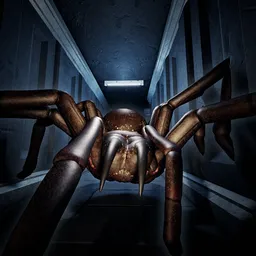
Your assignment is simple: record, report, survive. In ANALOG, you work for [REDACTED] Corp, an organization that officially doesn’t exist. Your job is to investigate anomalous sites, gather classified telemetry, and document entities that shouldn’t be there. The problem is that some of those entities are hunting you.
Forget simply running for the exit. You need to keep your camera focused, maintain a clear signal, and collect the information your employer expects. The game’s horror draws inspiration from I Made A Self-Aware Robot, the analog horror series created by LIGHTS ARE OFF and THRESHOLD. That influence shows in the uneasy atmosphere and the feeling that something is very wrong, even when the environment appears quiet.
The official ANALOG Discord brings investigators together to discuss encounters, share discoveries, and follow development announcements. Since the game is still being developed, new content and changes give players more to investigate. Comparing notes with other players can help you make sense of strange events you might have missed during a run.
There’s a reason the organization wants records of these encounters, but whether you should trust the people giving you orders is another question. For now, keep documenting what you find, pay attention to your surroundings, and don’t assume an empty corridor is a safe one. Your report won’t be much use if you don’t make it back.