Survive the dark in Roblox THRESHOLD and join the official THRESHOLD Discord for squad finder channels, survival tips, and update logs!
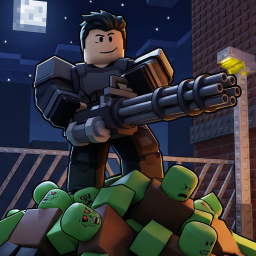
THRESHOLD on Roblox throws you into a grim, tense survival experience where every corner you peek around could be your last, demanding absolute focus just to stay alive in the dark.
The core loop focuses heavily on scavenging scarce resources, managing inventory under pressure, and holding your ground against relentless threats that hunt you down the moment you make a sound.
Trying to figure out the most efficient extraction routes, decoding enemy spawn patterns, and surviving solo against groups can quickly become an uphill battle.
Stepping into the official THRESHOLD Discord server is the smartest move for coordinating team setups, checking patch notes, and finding squadmates who won’t leave you stranded.
How to join the THRESHOLD Discord server?
If you are wondering how to join the discord server "THRESHOLD" to get the latest updates, announcements, and guides, just follow these simple steps:
- Scroll back to the top of this page and click the prominent "Join Discord Server" button.
- You will be instantly redirected to the official invite link for the THRESHOLD community.
- If the direct link doesn't open automatically on your mobile device, simply copy the invite code from the URL, open your Discord app, click the "+" (Add a Server) icon, choose "Join a Server", and paste the code there.
Safe Browsing Reminder
Please note that Discord.Do is an unofficial educational guide and catalog. We are not affiliated with Discord, Inc. We will never ask for your password, email, or login token. True Discord authentication happens strictly on the official discord.com domain. Always verify your browser's address bar and practice digital hygiene!