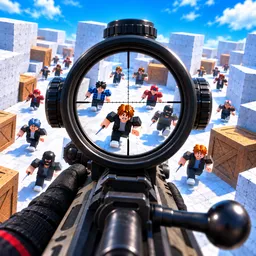
A helmet can be the difference between surviving a firefight and being sent straight back to the lobby. R1 Battle Royale is a Roblox shooter where headshots are especially dangerous, making protective gear an early priority rather than something to worry about later. You drop into the map, hunt for weapons and supplies, and try to outlast everyone else before the match is over.
Not every fight needs to be taken. Scavenging gets you equipped, while airdrops can offer a chance to find a hunting rifle and gain an advantage over opponents. The game also supports solo play, duos, and trios, so you can choose between relying on your own decisions and coordinating with a squad. For players who want to practise without bots, there’s a dedicated solo mode as well.
The official R1 Battle Royale Discord is the community hub for discussing matches, following announcements, and keeping up with new additions. Players can compare tactics, talk about weapon choices, and share their experiences as the game changes. With different ways to play, there’s more to discuss than simply who got the most eliminations.
R1 Battle Royale rewards quick decisions, but rushing into every encounter can leave you exposed. Finding a helmet, choosing when to engage, and knowing when to move on are all part of surviving until the end. The best loot won’t help much if someone catches you unprepared.