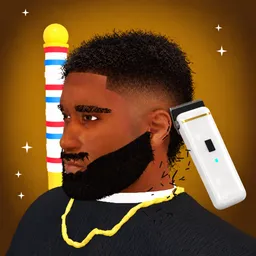
A bad haircut can ruin someone’s day. In Barber Showdown, a Roblox hairdressing competition, it can also cost you the win. Each round gives players a hairstyle theme, and the challenge is to recreate the requested look before showing off the result on the runway. Other players judge the cuts, and the barbers with the best ratings come out on top.
Getting the details right takes some practice. You can work on fades, tapers, line-ups, braids, and waves, experimenting with different styles to match the theme. There is also a solo practice mode with walk-in customers, so you can improve your technique without worrying about a competition. Saving your favourite creations gives you a chance to revisit your best work.
The official Barber Showdown Discord server is worth joining for more than just haircut discussions. Players can find additional game codes through the community, which makes it a useful place to check when looking for free rewards. It’s also where you can share your designs, react to other people’s work, exchange styling ideas, and discuss the latest changes.
Whether you’re aiming to become a top-rated barber or just enjoy experimenting with ridiculous hairstyles, there’s plenty of room for creativity. The competition is as much about personal style as it is about following the theme, and seeing how differently other players interpret the same request is part of the entertainment.