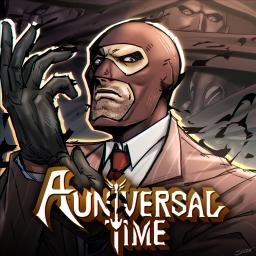
A Universal Time (AUT) is a popular Roblox action-adventure game that blends anime, pop culture, and original abilities into a unique PvP and PvE experience. Inspired by JoJo’s Bizarre Adventure and other franchises, AUT allows players to obtain powerful stands, weapons, and abilities to battle enemies and other players. The game features an expansive open world, dynamic combat mechanics, and frequent updates that introduce new abilities, game modes, and quests.
In A Universal Time, players can unlock and evolve their abilities through exploration, combat, and special events. The game encourages strategy, skillful fighting, and teamwork, making it an exciting challenge for both casual and hardcore players. With a deep progression system and diverse ability sets, AUT offers countless ways to play and experiment with different builds.
The official A Universal Time Discord server is the main hub for the game’s community. It provides players with real-time updates, patch notes, and exclusive sneak peeks into upcoming content. The server also features trading channels, strategy discussions, and a space for showcasing fan art and achievements. Players can participate in events, engage in giveaways, and connect with others who share a passion for AUT.
With a strong and active community, the AUT Discord server is an essential place for both new and experienced players. Whether you’re looking for gameplay tips, trading opportunities, or just want to chat with fellow fans, the server enhances the overall experience of A Universal Time.