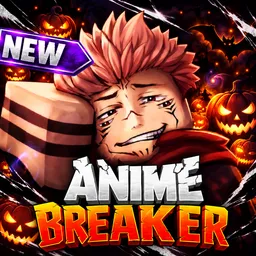
Anime Breaker

Tap for energy, unlock rare avatars, and conquer epic raids in Anime Breaker on Roblox! Join our official Discord server to trade strategies and find groups.

Anime Breaker Discord server

Created: May 17, 2026

Members: 49839

Join Discord Server

Your entire path to absolute dominance starts with a simple click. In Anime Breaker, a fast-paced Roblox strategy simulator, you are constantly tearing through vibrant, stylized dimensions by accumulating massive energy reserves, upgrading lethal weapon variants, and ranking up your core stats. The real depth kicks in when you start cracking open card decks to summon powerful companion fighters and venturing deep into challenging, high-tier raids where raw tapping speed simply isn’t enough to secure a victory.
As you push past the introductory worlds, the difficulty curve ramps up heavily, making solo progression an incredibly slow and tedious grind.
If you are just mindlessly farming resources without optimizing your companion synergies or weapon loadouts, you are wasting valuable time. The official Anime Breaker Discord serves as the central war room where the community’s most dedicated strategists gather. It is a highly active space where players break down character drop rates, share elite card-opening luck, and immediately form organized raiding parties to tear through the game’s toughest bosses.
Stop grinding against the wall by yourself. Join the Anime Breaker Discord server today, coordinate with the best players on Roblox, and fast-track your journey to the top of the leaderboard.


How to join the Anime Breaker Discord server?

If you are wondering how to join the discord server "Anime Breaker" to get the latest updates, announcements, and guides, just follow these simple steps:

  1. Scroll back to the top of this page and click the prominent "Join Discord Server" button.
  2. You will be instantly redirected to the official invite link for the Anime Breaker community.
  3. If the direct link doesn't open automatically on your mobile device, simply copy the invite code from the URL, open your Discord app, click the "+" (Add a Server) icon, choose "Join a Server", and paste the code there.

Safe Browsing Reminder

Please note that Discord.Do is an unofficial educational guide and catalog. We are not affiliated with Discord, Inc. We will never ask for your password, email, or login token. True Discord authentication happens strictly on the official discord.com domain. Always verify your browser's address bar and practice digital hygiene!

Leave a Reply

Your email address will not be published. Required fields are marked *