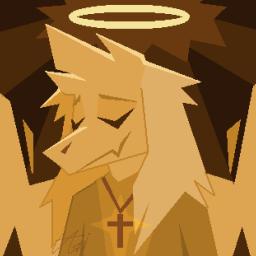
Asriel Undertale Discord Server ⭐

A server for the character Asriel from Undertale. Meet other Asriel fans, post art, obsess about him, and more!

Asriel Undertale Discord Server ⭐

Created: May 24, 2019

Members: 3959

Join Discord Server

The Asriel Undertale Discord Server is a server for all fans of the character Asriel from Undertale.

For years we’ve been working to create the best place possible for fans of this extremely popular character, a unique community with a healthy maintained obsession for a single character from a video game.

Passionately made from the ground up by a guy who has held Asriel as his number one favorite character of all time for years, basing his entire online existance on caring for the character, the person who has the handle @AsrielDreemurr on Twitter and runs the @AsrielRetweet account that actively retweets and supports any new art involving the character, the person who also created the r/AsrielUndertale subreddit for the same reason as creating the Discord. Along with many help from the various kind individuals over the years who have deddicated their time and passion to being active in, supporting, and maintaining this community.

I implore you to entertain yourself looking through such a passion-filled community, whether temporarily or if you want to stay and participate in the blossoming community, our server is a big love letter to the character and fans of the character.
How to join the Asriel Undertale Discord Server ⭐ Discord server?

If you are wondering how to join the discord server "Asriel Undertale Discord Server ⭐" to get the latest updates, announcements, and guides, just follow these simple steps:

  1. Scroll back to the top of this page and click the prominent "Join Discord Server" button.
  2. You will be instantly redirected to the official invite link for the Asriel Undertale Discord Server ⭐ community.
  3. If the direct link doesn't open automatically on your mobile device, simply copy the invite code from the URL, open your Discord app, click the "+" (Add a Server) icon, choose "Join a Server", and paste the code there.

Safe Browsing Reminder

Please note that Discord.Do is an unofficial educational guide and catalog. We are not affiliated with Discord, Inc. We will never ask for your password, email, or login token. True Discord authentication happens strictly on the official discord.com domain. Always verify your browser's address bar and practice digital hygiene!

Leave a Reply

Your email address will not be published. Required fields are marked *