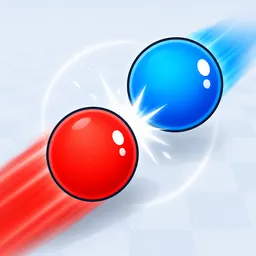
A tiny change to a spinning top can decide the entire match. In Bey Rivals, players assemble custom Beys from collectible parts and send them into physics-based arena battles. Winning isn’t just about having the rarest equipment: stamina, launch angles, and the way your Bey collides with its opponent can turn a seemingly one-sided fight around.
The game’s Discord is where players keep track of new codes, testing updates, and upcoming changes. It’s also a place to compare builds and discuss which combinations work best. With new parts to collect and abilities to unlock, there’s plenty to figure out beyond simply launching your Bey and hoping for the best.
Matches can end in different ways. A Spin Finish means outlasting your opponent, while an Over Finish knocks their Bey out of the stadium. A Burst Finish can dismantle the opposing Bey on impact. Each victory condition rewards a different approach, so players have good reason to experiment with their setups rather than stick to one configuration.
Ranked battles give experienced players another goal to chase, while NPC opponents offer a way to practise. The community brings together collectors and competitive players alike, whether they’re hunting for better parts, exchanging battle tips, or checking the latest codes. If you’re trying to build a Bey that can handle more than one kind of opponent, it’s a useful place to compare ideas.