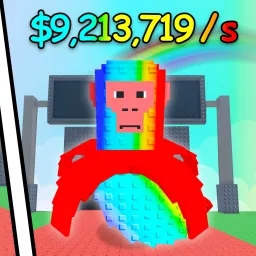
Brainrot Fighting brings fast-paced combat to the Brainrot universe on Roblox, combining flashy attacks with strategic depth. As a fighter, you harness “Brainrot” powers to execute combos, dodge incoming blows, and control the battlefield. Each match rewards skillful play—landing perfect strikes and countering enemy moves earns XP, unlocking new abilities and cosmetic flair.
Progression in Brainrot Fighting is both rewarding and competitive. Win rounds to earn spins, which unlock upgraded fighting forms and rare skins. Mastery of combos and timing becomes essential as you climb leaderboards and face tougher opponents. Occasional limited-time fighters or form variations add fresh challenges that keep players coming back for more.
The official Brainrot Fighting Discord server is the perfect training ground. It’s where players share build and combo guides, announce upcoming tournaments, and unlock code drops for spins or special forms. Developers frequently post balance updates, sneak peeks at new abilities, and host community match nights. With channels dedicated to strategy, highlight reels, and feedback, Discord adds depth to every fight.
Whether you’re refining your combo chains or prepping for the next match, Brainrot Fighting offers an electrifying arena experience—and its Discord community ensures you’re never fighting alone. Dive in to connect, learn, and dominate together!