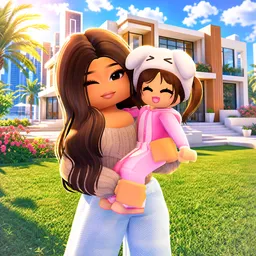
Brookhaven RP is the most-visited Roblox experience ever and a foundational city-building and social sandbox. Players claim homes, customize vehicles and pets, and role-play as residents, celebrities, police officers, or families in a vast, interactive suburban city. With seamless life-simulation systems and seasonal content, it remains endlessly inviting.
Rather than traditional progression, Brookhaven focuses on creative expression and social interaction. You earn no money or gear—you earn roleplay flair. Operate zipline networks, decorate dream houses, host events, and drive through the city in custom cars. Private servers offer control over weather, lighting, or banned players for immersive experiences.
The official Brookhaven RP Discord server (hosted by Wolfpaq Games) has over 200,000 members and is the cornerstone of the community. There, players coordinate roleplay events, show off builds and customization ideas, and stay informed with game updates and news directly from developers. Discord also facilitates creators’ hangouts, fan art shows, and story collaboration channels.
Whether you’re looking to host a city-wide gathering, plan collaborative storytelling runs, or showcase your personalized villa, Brookhaven RP thrives on player creativity and social connection. The Discord server amplifies that experience—turning virtual streets into stages where community and imagination meet.