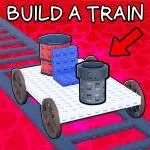
Riding rails across pixel skies, Build Your Train gives you bricks of tracks, engine parts, and ambitions—but when you join its official Discord server, the game’s construction becomes communal. It’s there that players map out their designs, share rare parts codes, and push each other to build the longest or coolest trains possible.
Inside the server, train-builders collaborate. Someone posts photos of their latest locomotive blueprint; others comment on wheel types, engine tiers, or paint jobs. Need tips on balancing track layouts to avoid derailments or maximizing travel efficiency? The Discord threads are full of those kinds of insights—mixing mechanical advice with creative flair.
Codes and updates also flow through Discord first. When the devs drop parts or engine boosts, members in the server snag them before they saturate the public. Having a place where those drops are announced early gives builders a competitive edge—or at least a chance to try fresh components before everyone else.
But community is more than competition. Memes, jokes, and shared fails lend warmth: someone’s train collapsing on a tricky turn becomes a funny story; someone else’s “longest train” screenshot turns into motivation. In Build Your Train, the server isn’t just support—it’s a gallery, a lab, and a crowd all cheering on every creation.