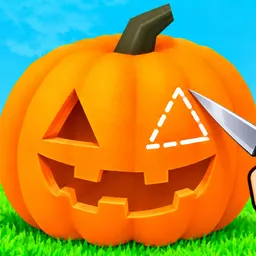
Carve a Pumpkin!

Slice, carve, and craft spooky jack-o'-lanterns in Carve a Pumpkin, a cozy Roblox game. Join the official Discord server to share designs and swap ideas.

Carve a Pumpkin! Discord server

Created: September 30, 2026

Members: 38

Join Discord Server

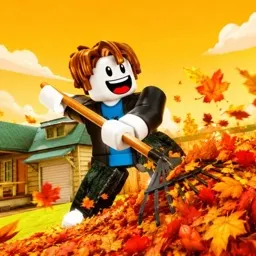
Watch out for flying pulp and crooked grins. Carve a Pumpkin takes the messy, satisfying art of autumn crafting and turns it into a chill sandbox experience on Roblox where you hack away at gourds without needing to clean up the kitchen table afterward. Armed with an assortment of blades, drills, and carving tools, players chip away at pumpkins of all shapes and sizes to bring grinning ghouls, classic Jack-o’-lantern faces, or overly ambitious pixel-art masterpieces to life.

The fun isn’t just about hacking random holes into an orange shell. Figuring out how negative space, shadows, and candlelight interact once the sun goes down turns simple slicing into actual sculpture work. Drop your glowing creations onto porches, show off your weirdest experimental designs to other players, and turn an ordinary virtual yard into a sprawling neighborhood display of spooky season chaos.

People who take their gourd artistry way too seriously hang out on the official Carve a Pumpkin Discord server. It is a spot to trade carving tips, show off custom lighting tricks, and see what the community cooks up for seasonal events.

How to join the Carve a Pumpkin! Discord server?

If you are wondering how to join the discord server "Carve a Pumpkin!" to get the latest updates, announcements, and guides, just follow these simple steps:

  1. Scroll back to the top of this page and click the prominent "Join Discord Server" button.
  2. You will be instantly redirected to the official invite link for the Carve a Pumpkin! community.
  3. If the direct link doesn't open automatically on your mobile device, simply copy the invite code from the URL, open your Discord app, click the "+" (Add a Server) icon, choose "Join a Server", and paste the code there.

Safe Browsing Reminder

Please note that Discord.Do is an unofficial educational guide and catalog. We are not affiliated with Discord, Inc. We will never ask for your password, email, or login token. True Discord authentication happens strictly on the official discord.com domain. Always verify your browser's address bar and practice digital hygiene!

Leave a Reply

Your email address will not be published. Required fields are marked *