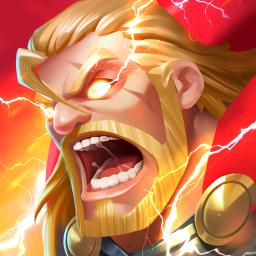
Clash of Zombies 2 is an engaging mobile strategy game that immerses players in a post-apocalyptic world overrun by the undead. As a commander, your mission is to recruit from over 50 unique heroes and their squads of mercenaries to combat the zombie invasion and defend humanity. The game offers a blend of strategic base-building, resource management, and real-time battles against both zombies and other players. Players can fortify their bases, form alliances, and participate in epic kingdom wars to assert dominance in this chaotic world.
To foster a vibrant community and enhance the gaming experience, Clash of Zombies 2 maintains an official Discord server. This platform serves as a hub where players can connect, share strategies, and stay updated on the latest game developments. Members have access to exclusive events, monthly developer feedback updates, and a supportive community eager to assist both new and veteran players.
Joining the Discord server offers numerous benefits, including direct communication with the development team, opportunities to participate in community-driven events, and a space to provide feedback and suggestions for future game improvements. The server also features channels dedicated to various aspects of gameplay, fostering a collaborative environment where players can discuss tactics, share experiences, and build lasting alliances.
Whether you’re seeking to refine your strategies, connect with fellow commanders, or stay informed about upcoming features and events, the Clash of Zombies 2 official Discord server is an invaluable resource. By becoming a member, you gain access to a dynamic community dedicated to surviving and thriving in the zombie apocalypse.