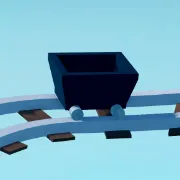
Create a Cart Ride! invites Roblox players into a sandbox of wild rollercoaster design and testing. Start by selecting a cart—like wooden, marble, or metallic—and choose or build your own track filled with loops, jumps, and hazards. Every ride is unique as you tweak carts and watch them race down gravity-defying layouts, making physics testing both entertaining and creative.
Progression comes through unlocking new carts and ride features. As you create popular ride tracks or simply log hours, you can redeem special carts like the Doge-themed, Rock cart, or Egg‑Mobile—via codes revealed in community channels. These collectible carts add personality and bragging rights to your creations.
The official Create a Cart Ride! Discord server is the go-to hub for creators and riders alike. It’s where codes reliably debut (for themed carts), new track parts and updates are teased, and community design contests are held. You’ll also find a wealth of player-shared layouts, blueprint ideas, tip threads for smoother rides, and channels to coordinate races or test builds together.
Whether you’re aiming to troll physics with insane carts or craft the most elegant coaster run, Create a Cart Ride! thrives on both creative freedom and gravity-defying fun—and Discord connects you to codes, inspiration, and fellow ride engineers.