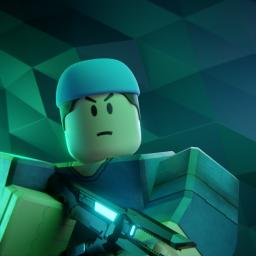
Darkdivers is a Roblox game that immerses players in cooperative missions to combat alien species and secure territories across various planets. Developed by DarkNDiver, the game features unique weapons, armor, and resources, encouraging teamwork to survive and complete challenging missions. Inspired by games like Helldivers 2, it emphasizes strategic combat and cooperative action.
Players take on the role of elite soldiers tasked with eliminating dangerous alien creatures, collecting resources, and uncovering the mysteries of dystopian worlds. The game’s fast-paced action, dynamic environments, and deep progression system make it a thrilling experience for those who enjoy teamwork and strategy.
The official Discord server for Darkdivers is Dark Empire, where players can connect, discuss strategies, and get the latest game updates. The server provides a hub for community events, announcements, and exclusive game content. With a growing player base, Dark Empire serves as the go-to place for Darkdivers fans looking to team up and stay informed.
For those looking to dive into the action, Darkdivers is available on Roblox, and joining the Dark Empire Discord server ensures you’re part of the community. Whether you’re seeking allies for missions or simply want to engage with other players, this is the best place to stay connected.