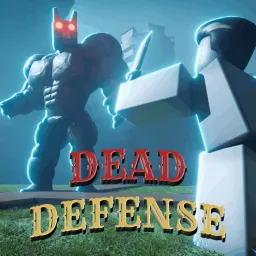
Dead Defense is a cooperative zombie survival game on Roblox, developed by Airys Games. In this game, players team up to defend against relentless waves of undead enemies. The gameplay emphasizes strategic planning, resource management, and teamwork to survive increasingly challenging hordes. Players can build defenses, upgrade weapons, and collaborate to withstand the onslaught.
The game’s mechanics focus on base-building and defense strategies. Players must gather resources to construct fortifications and deploy traps to slow down or eliminate zombies. As the game progresses, the difficulty escalates, requiring players to adapt their tactics and work closely with teammates to ensure survival.
The official Dead Defense Discord server serves as the central hub for the game’s community. Players can join to access the latest news, updates, and exclusive codes that provide in-game rewards. The server also offers channels for strategy discussions, allowing members to share tips and collaborate on gameplay tactics. Additionally, players can report bugs and receive support from moderators, fostering a supportive and interactive community environment.
Engaging with the Dead Defense community allows players to exchange tips, organize cooperative sessions, and stay connected with others who share an interest in zombie survival games. Whether you’re a seasoned player or new to the game, participating in community discussions can provide valuable insights and enhance your overall experience.



Me banearon injustamente por tener muchos supervivientes, no sabía cómo venderlos o algo para no tener muchos y en el ban Dize por duplicar,como .??